Design library
UI systems and interface craft.
A closer look at the components, interaction states and responsive patterns behind my product work. These sheets come from the case studies rather than existing separately from them.
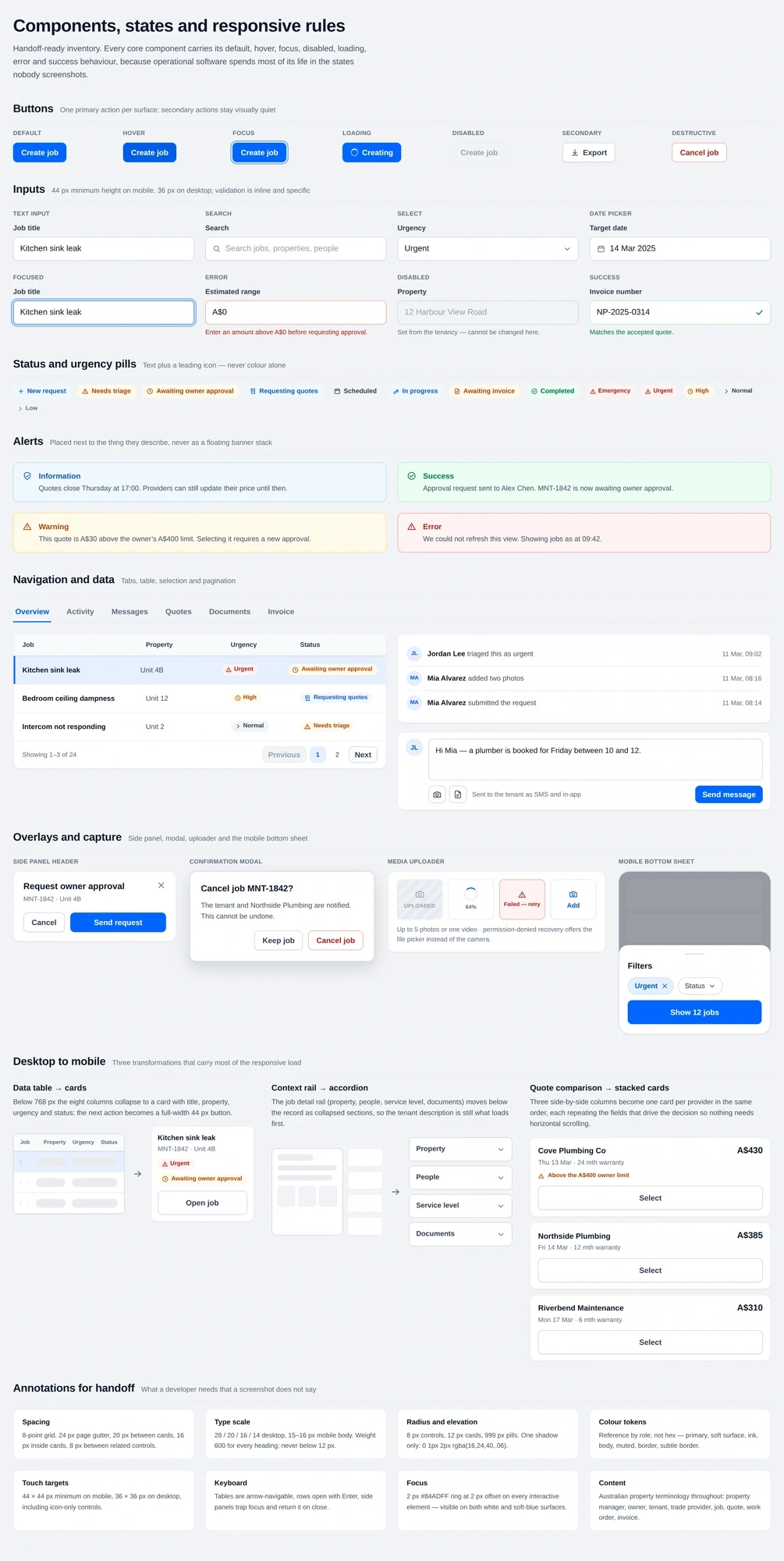
01 · Components and state coverage
One behavioural reference for ordering and payments
The CAKE POS library documented each component with its anatomy, states, content rules and accessibility notes. Design, engineering and QA worked from the same reference instead of interpreting individual screens.
02 · Design foundations
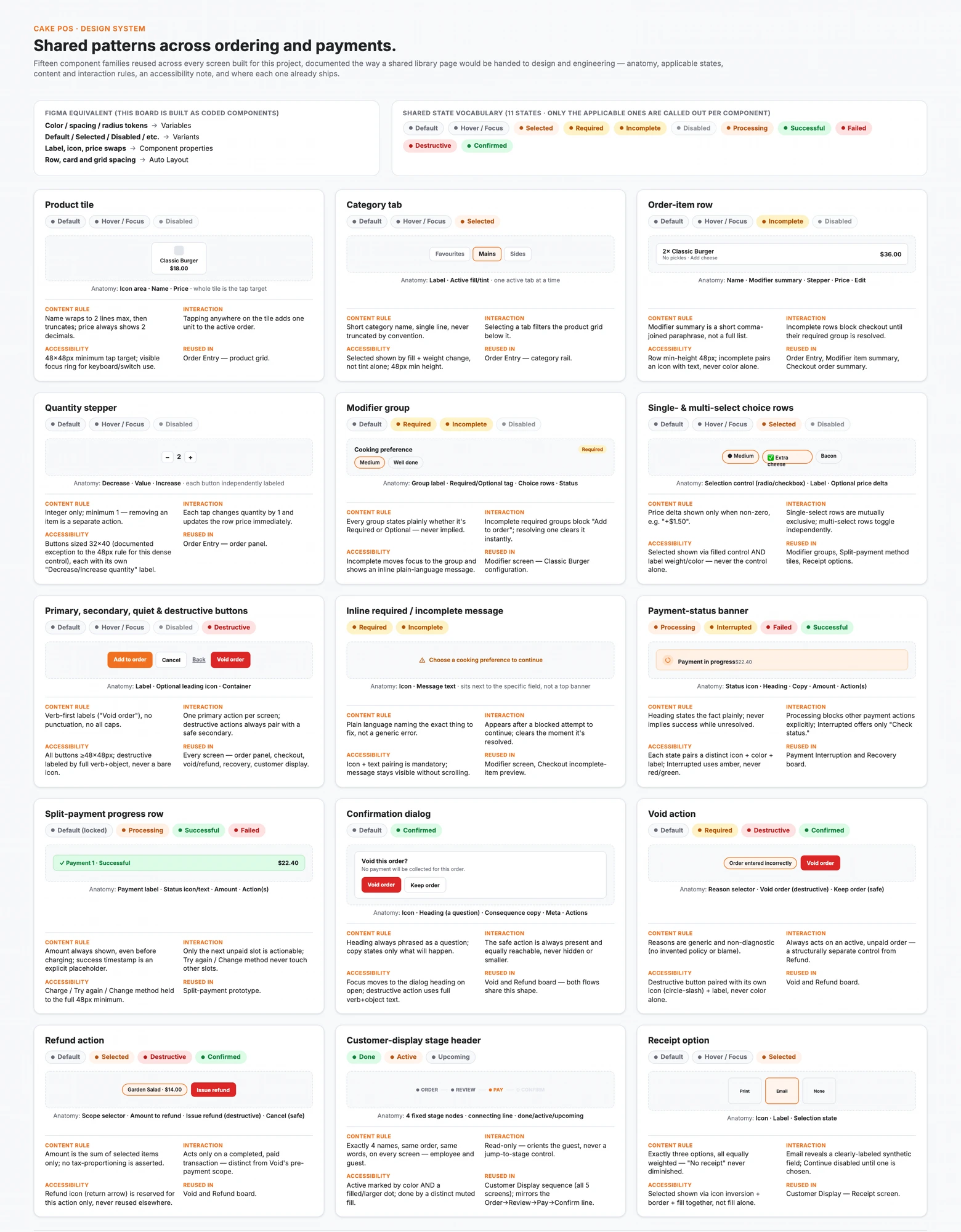
Rules before surfaces
Typography, colour, spacing, radius, icon and touch-target rules were set at project level so four property-maintenance modules could stay consistent. Status labels were shared across roles, so a tenant and a trade provider read the same job the same way.
03 · States and responsive behaviour
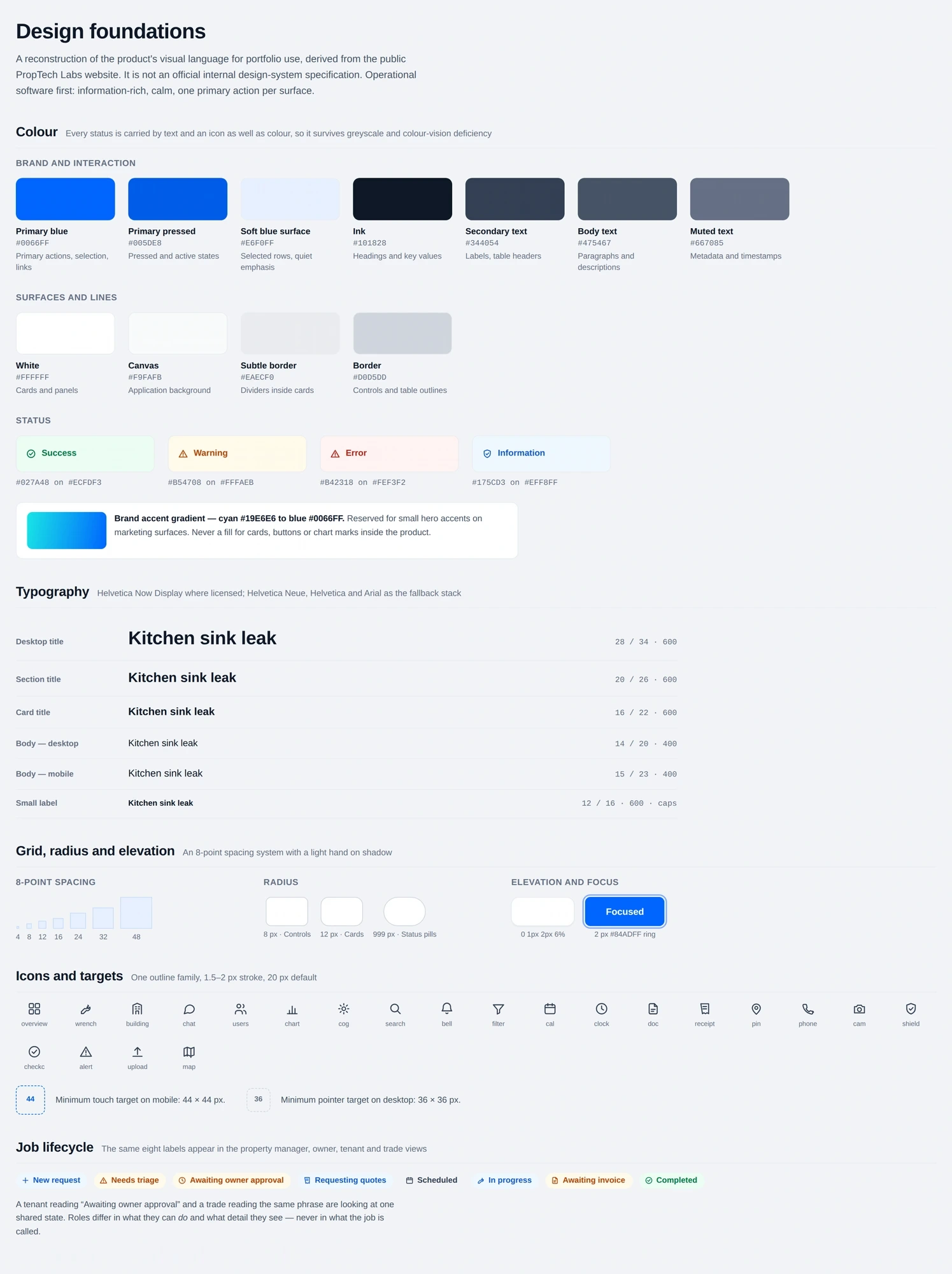
The states nobody screenshots
Every core component carries its default, hover, focus, disabled, loading, error and success behaviour. The responsive work was about reconsidering hierarchy on smaller screens — tables becoming cards, context rails becoming sections — rather than compressing a desktop layout.