
IoT dashboards for hotels and warehouses
JKIT IoT Device Monitoring Dashboards
Designing and building dashboards that monitor electronic devices and appliances across hotels and warehouses.
Role
UI/UX Engineer
Timeline
Aug 2018 to Aug 2019
Company
John Keells IT
Tools
Figma · Miro · Jira
01 · Overview
The story in short.
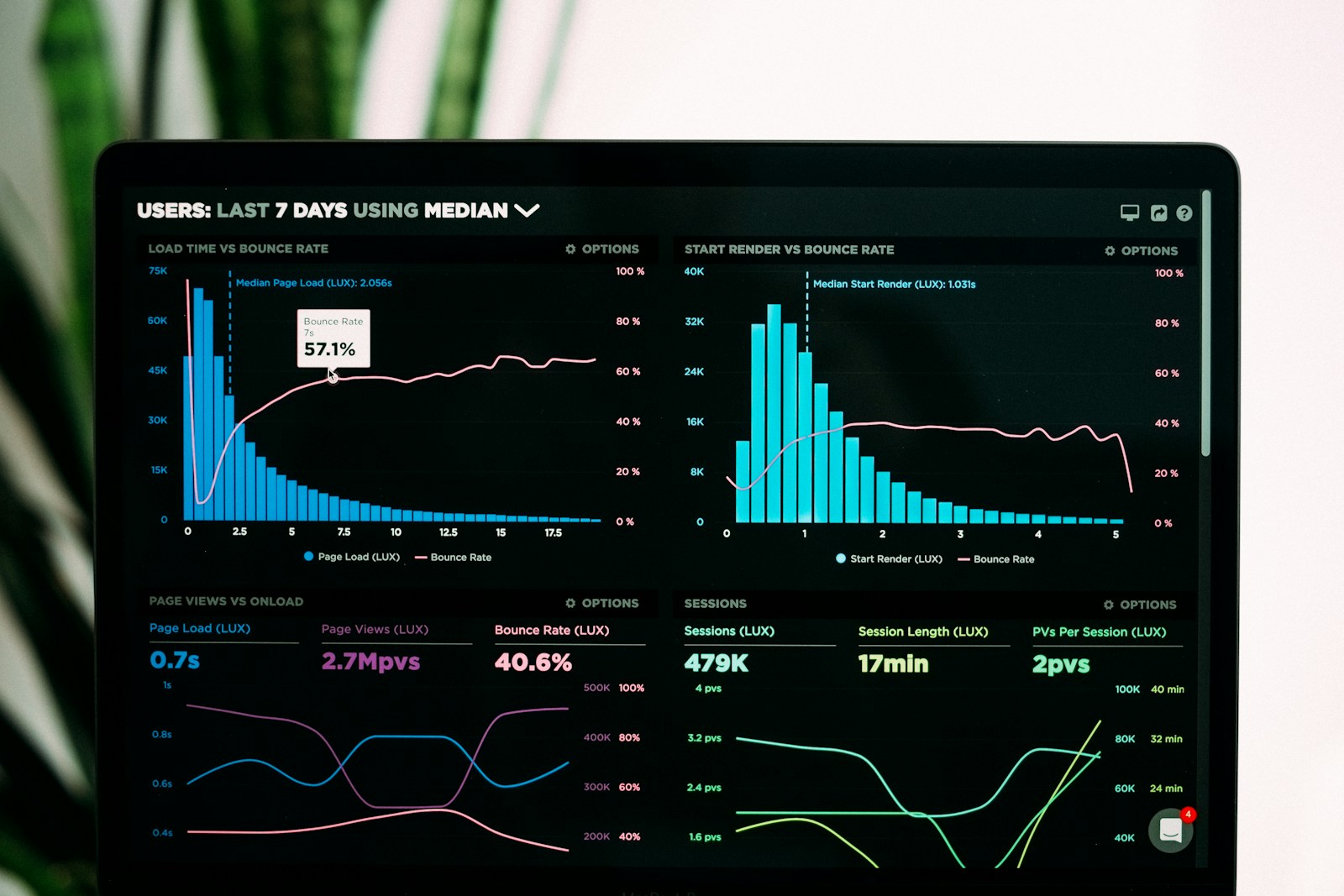
Worked on an IoT project that monitors electronic devices and appliances in hotels and warehouses. Designed dashboards for the data flowing in from IoT devices, referenced JavaScript chart libraries, and built the UIs of those dashboards in HTML, SCSS, Angular, and React.
Problem
Hotel and warehouse teams needed to monitor lots of devices at once, but the raw IoT data didn't help them make decisions. Dashboards had to surface what mattered and stay usable across long shifts.
Context
An early-career role bridging design and front-end engineering on a real IoT product. Charts, alerts, and admin panels powered by live data.
Design challenge
Turn streams of device data into dashboards that operators could read at a glance, and build them as clean, reusable front-end components.
02 · Research
Listening before deciding.
I started by understanding both the users and the business context.
- Reviewed existing IoT dashboard patterns and chart libraries
- Looked at how operators used the data day-to-day
- Worked with engineers to understand data shape and frequency
Key insights
Operators wanted glance-able status before drill-down detail.
Consistent chart and card patterns reduced the cognitive load.
Alignment and spacing did a lot of the work, even before colour.
Operator interview themes
Status first
Operators wanted ‘OK / not OK' before any chart.
Glance + drill
Two modes — overview and device detail — covered 80% of use.
Calm alerts
Too many ambers → users start ignoring all of them.
Consistent charts
Different chart styles for similar data was confusing.
03 · Users
Who I designed for.
Primary persona
Rohan
Hotel facilities operator · 42
“Tell me what's wrong and where — I'll handle the rest.”
Goals
- Spot anomalies fast
- Drill into the offending device
- Take action without context-switching
Frustrations
- Raw data dumps
- Inconsistent chart behaviour
- Noisy alerts
User journey
Open overview
What's red today?
Emotion
Alert
Notice anomaly
Cold room out of range.
Emotion
Focused
Open device detail
Last 24h trend?
Emotion
Investigative
Escalate or fix
Notify the right team.
Emotion
Decisive
Re-check status
Back to normal.
Emotion
Reassured
Pain points
- Too much raw data, not enough hierarchy.
- Inconsistent component behaviour across dashboards.
- Charts that looked similar but meant very different things.
Design goals
- Surface status before detail.
- Build reusable dashboard and chart components.
- Keep interactions consistent across dashboards.
04 · Design
From idea to interface.
Ideation
Designed dashboard layouts and chart patterns, then built them as reusable front-end components. Collaborated with engineers on interaction behaviour and design consistency.
Mid-fidelity wireframe
UI direction
Calm neutrals with clear status colour. Tight alignment, consistent card patterns, and chart styles that distinguished data types at a glance.
Final UI · IoT device monitoring
HVAC · Floor 3
22.4°C
Power · Warehouse
14.8 kW
Alerts
2
▲ Cold-room T9 above range
▲ Lobby AC offline 3m
| Device | Location | Reading | Status |
|---|---|---|---|
| Cold-room T9 | Warehouse B | −18.4°C | Alert |
| Smart meter M12 | Hotel · Floor 2 | 3.2 kW | OK |
| HVAC A04 | Hotel · Lobby | Offline | Down |
Stack
HTML · SCSS · Angular · React
Charts
JS chart libraries
Surface
Hotels & warehouses
05 · System
Reusable, documented, shippable.
Designed and maintained UI components for dashboards, charts, admin panels, and SaaS workflows. Shared across JKIT IoT applications.
06 · Validation
Testing what actually works.
Prototype: Built UI components directly in HTML, SCSS, Angular, and React. Tested as part of the live product.
Testing: Supported QA by reviewing spacing, alignment, responsiveness, and browser compatibility. Fixed UI defects across browsers.
07 · Impact
What changed after the redesign.
Responsive IoT dashboards with clear hierarchy, reusable chart and card components, and consistent interaction patterns across the JKIT applications.
Outcome 01
Responsive product interfaces shipped across JKIT IoT applications.
Outcome 02
UX designs and prototypes converted into clean, reusable front-end components.
Outcome 03
Improved layout accuracy, interaction behaviour, and design consistency.
Outcome 04
UI defects resolved across browsers and viewports.
08 · Learnings
What I'd take into the next one.
Sitting between design and engineering teaches you which design decisions actually survive contact with code, and which ones quietly die.